Prerequisites
To get the most out of this guide, you will need to:- Either create an account in our managed instance or deploy your own hoop.dev instance
- You must be your account administrator to perform the following commands
This type of connection accepts only
MD5 or scram-sha-256 authentication methods.Features
The table below outlines the features available for this type of connection.- Native - This refers to when a database client connects through a specific protocol, such as an IDE or client libraries through
hoop connect <connection-name>. - One Off - This term refers to accessing this connection from hoop web panel.
| Feature | Native | One Off | Description |
|---|---|---|---|
| TLS Termination Proxy | The local proxy terminates the connection with TLS, enabling the connection with the remote server to be TLS encrypted. | ||
| Audit | The gateway store and audit the queries being issued by the client. | ||
| Data Masking (Google DLP) | A policy can be enabled to mask sensitive fields dynamically when performing queries in the database. | ||
| Data Masking (MS Presidio) | A policy can be enabled to mask sensitive fields dynamically when performing queries in the database. | ||
| Credentials Offload | The user authenticates via SSO instead of using database credentials. | ||
| Interactive Access | Interactive access is available when using an IDE or connecting via a terminal to perform analysis exploration. |
Configuration
| Name | Type | Required | Description |
|---|---|---|---|
| HOST | env-var | yes | The IP or Host of the Postgres server |
| USER | env-var | yes | The user to connect in the Postgres server |
| PASS | env-var | yes | The password to connect to the Postgres server. Make sure to URL encode the password if it contains any special characters. |
| PORT | env-var | yes | The port of the Postgres server |
| DB | env-var | yes | The name of the database to connect (Required when using the connection via the command line). |
| SSLMODE | env-var | no | How to connect via tls with the remote host, it defaults to prefer. https://www.postgresql.org/docs/current/libpq-ssl.html#LIBPQ-SSL-PROTECTION for more information. Available options are: disable, prefer, require, and verify-full |
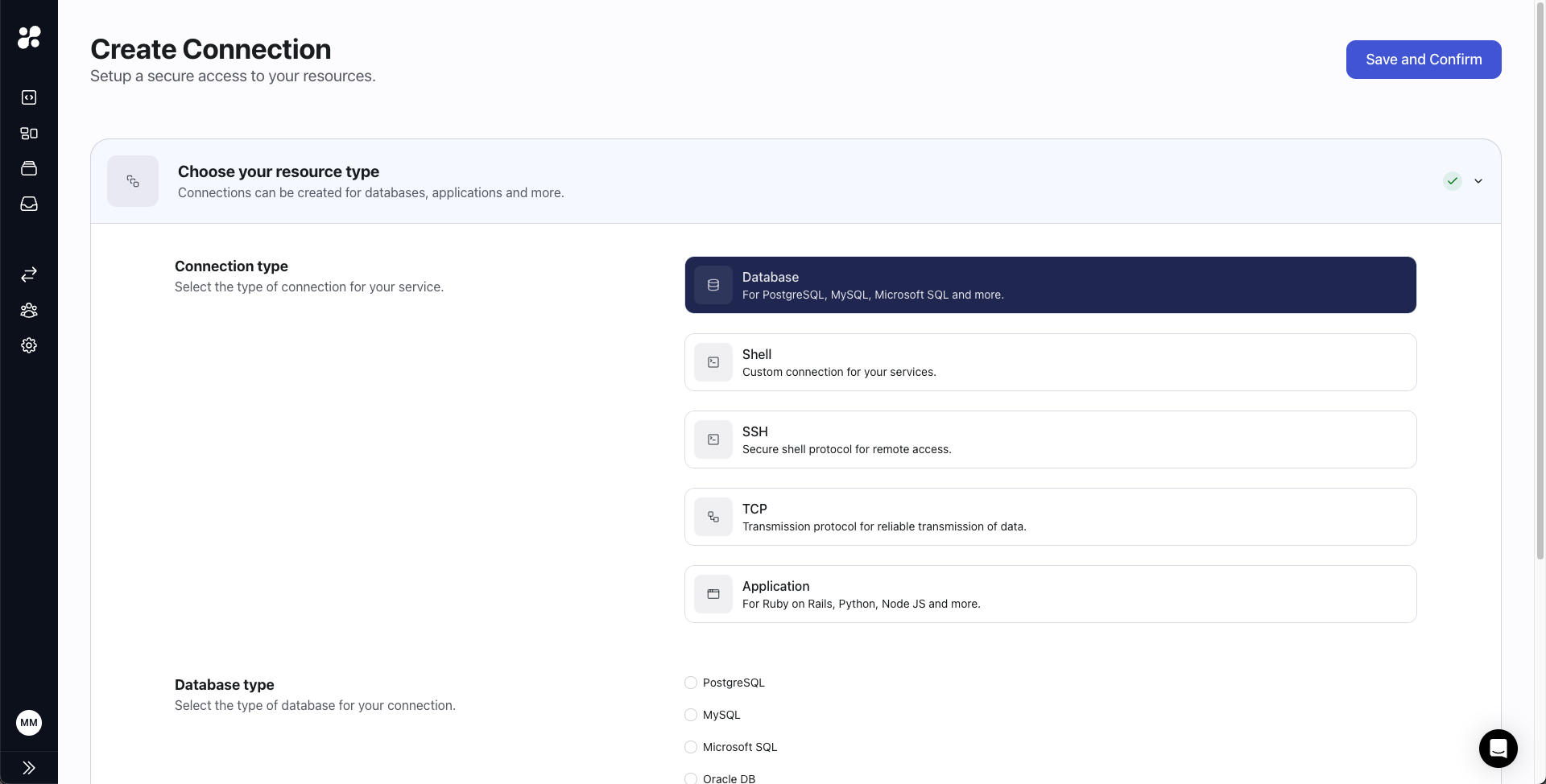
Connection Setup
Create a new Database connection in hoop’s web panel.
Connection Usage
You can access it through hoop CLI or hoop web panel.CLI
Web panel